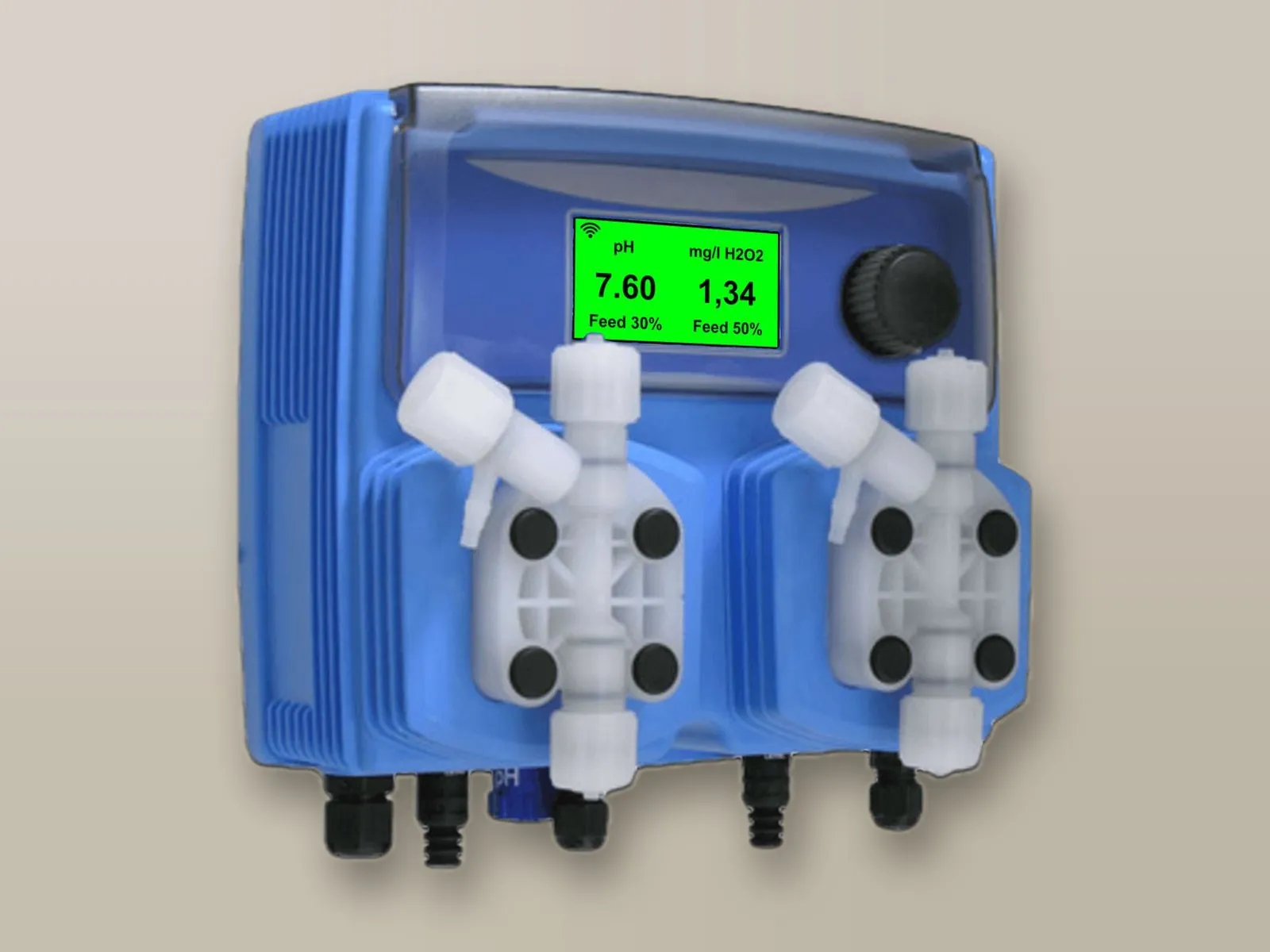
WDpHCl Peroxide
With integrated dosing pumps and pH and hydrogen peroxide measuring controllers.
- Proportional to pH
- Proportional to hydrogen peroxide
- Modbus with level control
Swimming pool dosing pump with two integrated solenoid pumps, for the pH adjuster and for hydrogen peroxide, controlled by the measurements of both parameters. Hydrogen peroxide is measured with the SCL 9/200 closed amperometric cell, over a range of 0 to 200 mg/l, with pH and temperature compensation performed in the probe. Since peroxide releases gas, the self-purging configuration is recommended.
With integrated dosing pumps and pH and hydrogen peroxide measuring controllers.
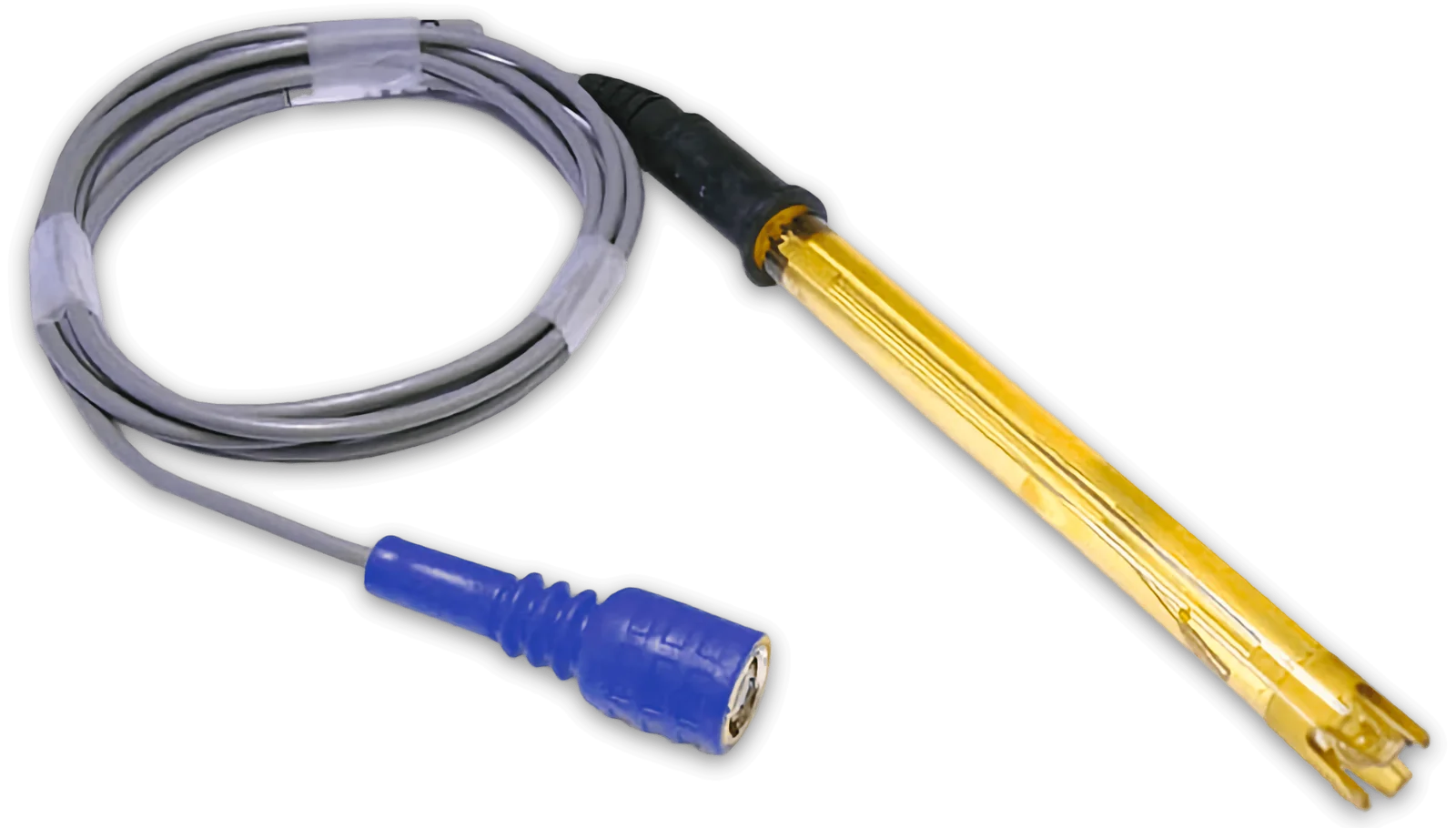 EpHSpH electrode
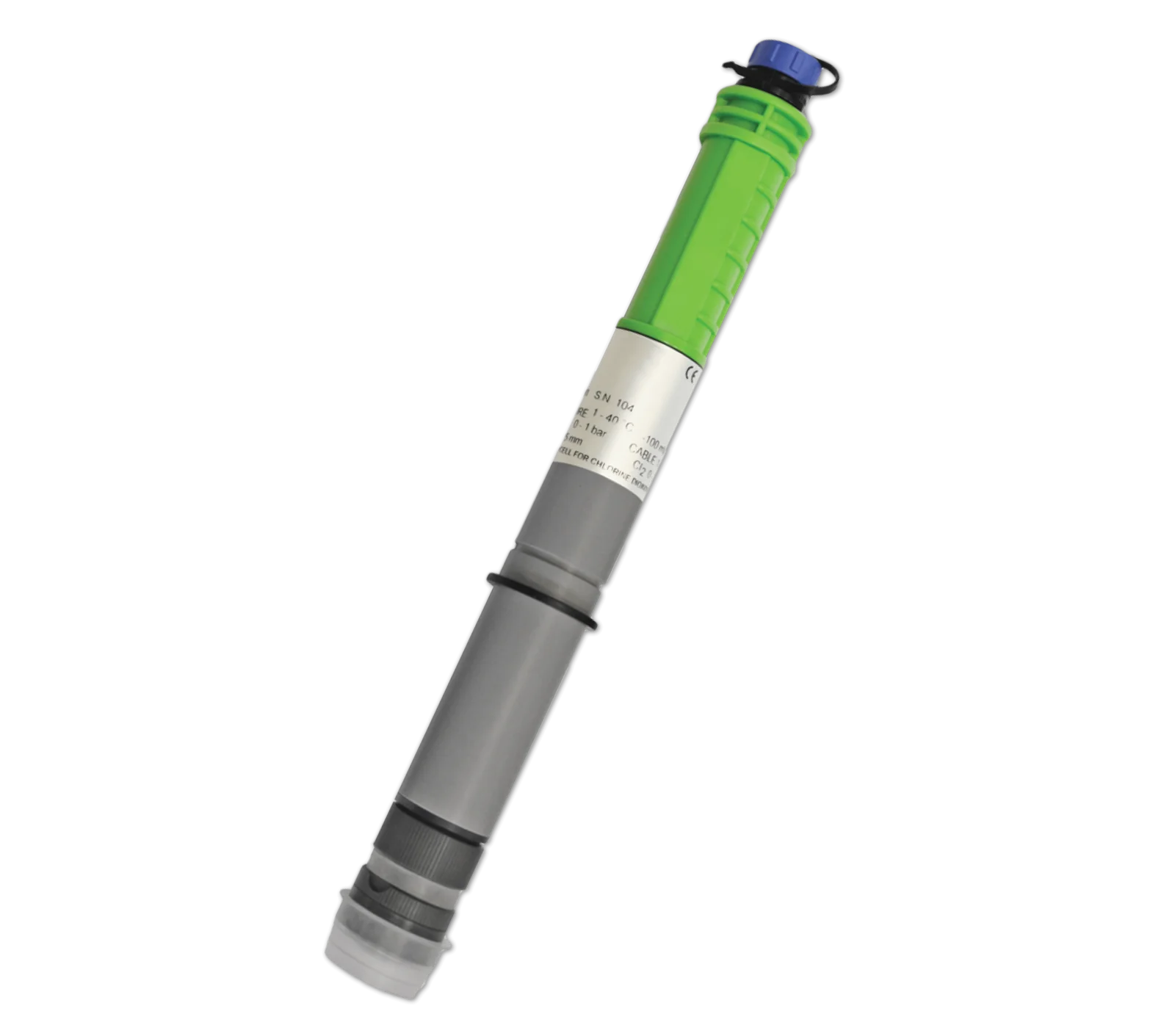 SCL 9/200Closed (membrane) amperometric cell for free hydrogen peroxide
Pump head: PVDF or PP
The pump is controlled via the Modbus RTU protocol: dosing management is handled entirely by your PLC.
The required pH value (SET POINT) is set: the pump measures the pH by means of a pH electrode and progressively reduces the injection frequency as the measured value approaches the set point, stopping when the SET POINT is reached.
The required concentration of free hydrogen peroxide in mg/l (SET POINT) is set: the pump measures it by means of a closed amperometric cell for peroxide and doses until the SET POINT is reached.
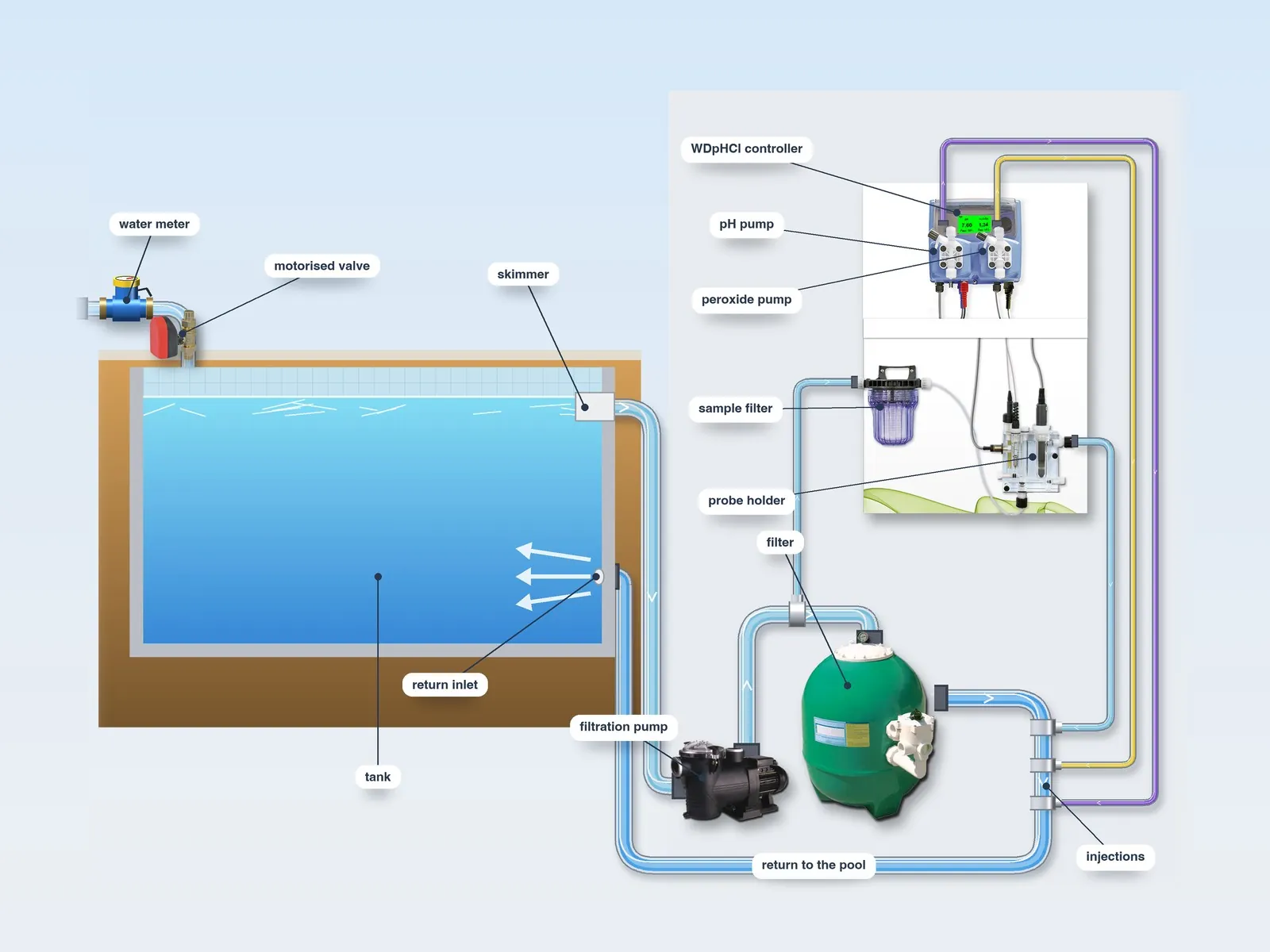
The treatment system is installed in the plant room, downstream of the filter: the probes analyse a water sample and injection takes place on the delivery pipe to the pool.
The display colour changes with the operating status, so that an alarm can be recognised even from a distance. The setting screens of this model are shown below.
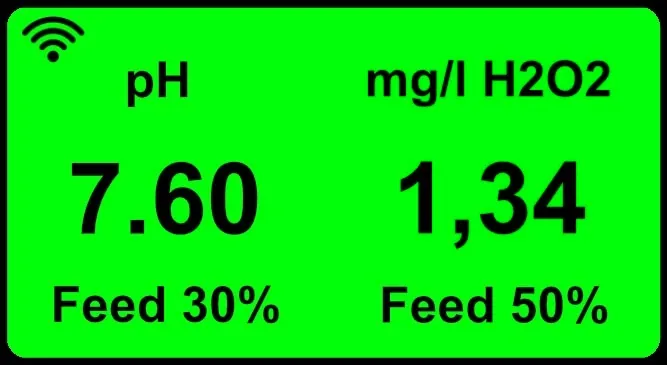
Normal operation according to the set parameters, no active alarms.
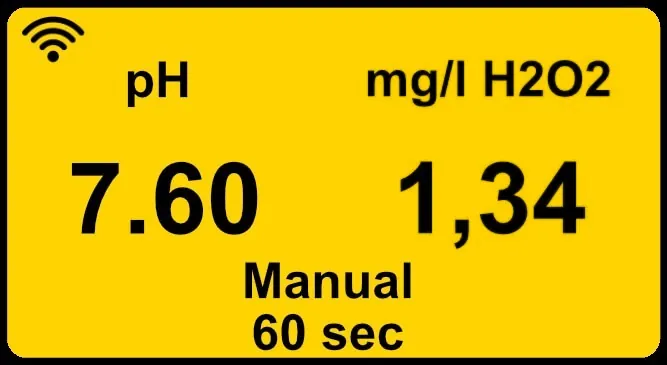
Non-blocking alarm, for example waiting for an external signal.
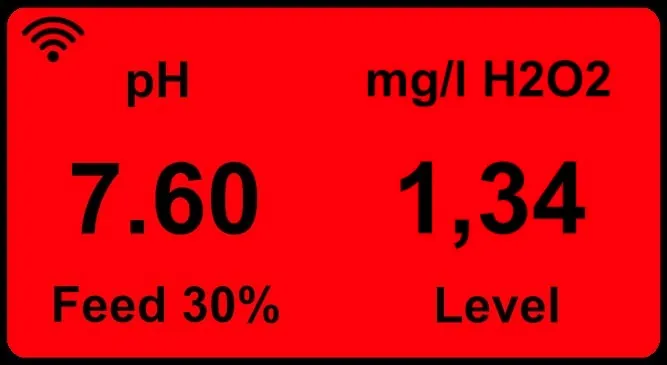
Blocking alarm, for example the chemical in the tank running out.
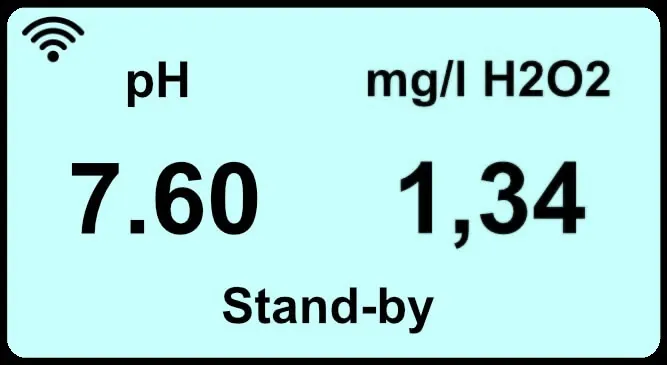
Pump stopped by an external control signal (stand-by).
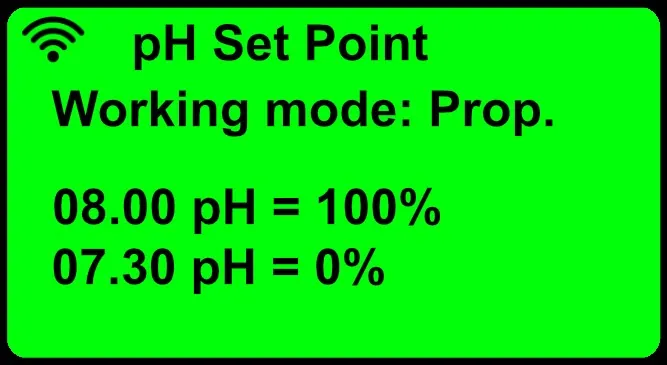
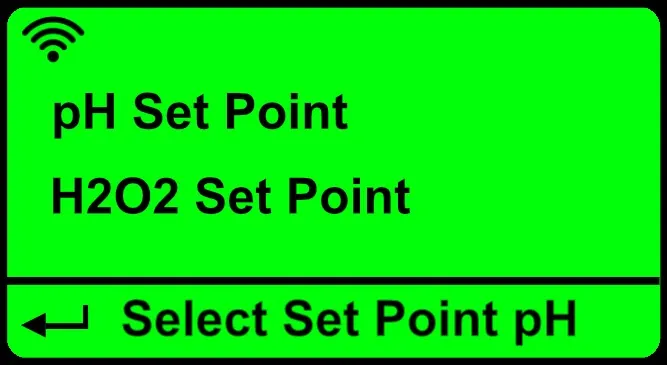
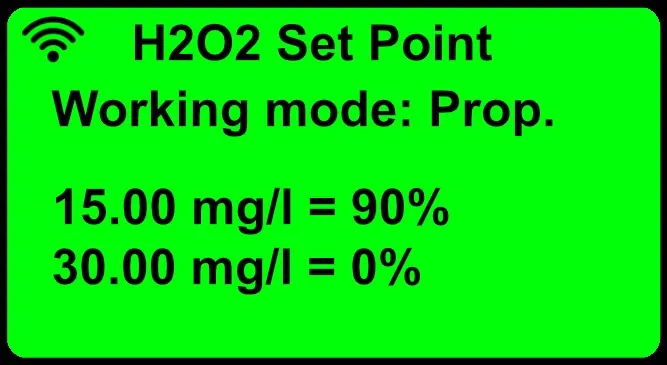
The pump code is made up of the model name and the performance: maximum pressure in bar as two digits followed by the flow rate in l/h (WDpHCl Peroxide 0310 = 3 bar, 10 l/h). It is followed by the pump head code and the power supply code, listed in the tables at the end of this section. Performance varies with the working back pressure and with the characteristics of the chemical.
Suitable for most chemicals: the standard configuration for the most common applications.
| Code | Max pressure (bar) | Max flow rate (l/h) | cc per stroke |
|---|---|---|---|
| WDpHCl Peroxide 0706 | 7 | 6 | 0.56 |
| WDpHCl Peroxide 0501 | 5 | 1 | – |
| WDpHCl Peroxide 0310 | 3 | 10 | 0.93 |
Required with chemicals that release gas (e.g. peroxides), to prevent the pump from becoming air-locked.
| Code | Max pressure (bar) | Max flow rate (l/h) | cc per stroke |
|---|---|---|---|
| WAD 0307 | 3 | 7 | 0.65 |
| Specification | Value |
|---|---|
| Integrated pumps | 2 solenoid diaphragm pumps, for the pH adjuster and for the disinfectant |
| Measuring range | 0 – 14 pH; hydrogen peroxide 0 – 200 mg/l |
| Strokes per minute | 0 – 180 |
| Maximum chemical viscosity | 100 cP |
| Maximum suction height | 1.5 m |
| Ambient temperature | −10 – 45 °C |
| Chemical temperature | 0 – 50 °C |
| Transport and storage temperature | −10 – 50 °C |
| Noise level | 74 dB(A) per pump |
| Alarm output | Volt-free contact, maximum load 4 A at 250 V |
| Protection rating | IP65 |
| Average power draw at maximum flow rate | 32 W |
| Weight | 3.0 kg |
| Installation class | II, pollution degree 2 |
| Code | Pump head | Seals |
|---|---|---|
| 1 | PVDF | Viton (FKM) |
| 2 | PVDF | EPDM |
In both versions: PVDF valves with ceramic balls, PTFE diaphragm, PE delivery tube and PVC suction tube. Also available in PP.
| Code | Power supply |
|---|---|
| 00 | 230 VAC, Schuko plug |
| 01 | 230 VAC, no plug |
| 03 | 115 VAC, US plug |
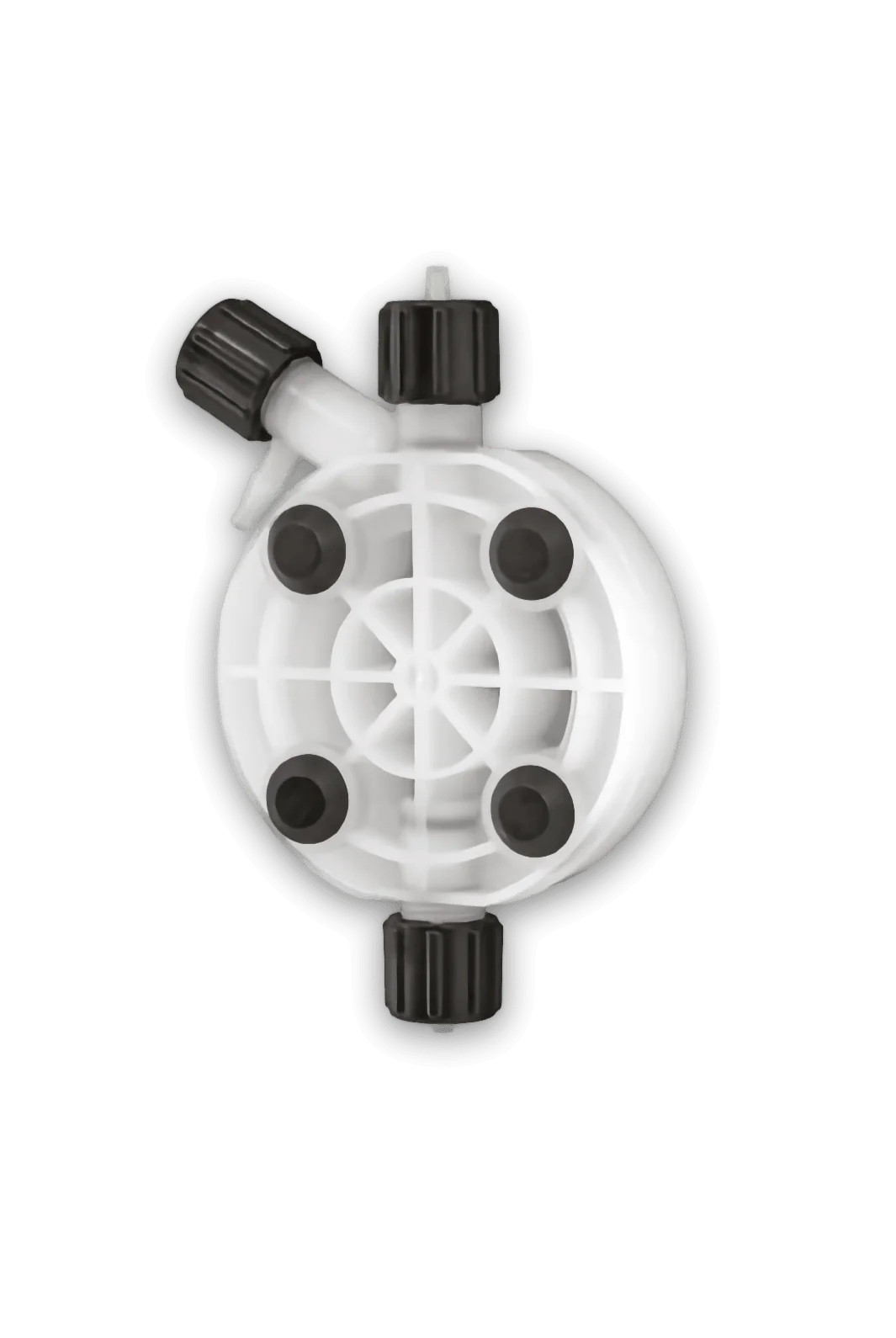
Suitable for most acids, for peroxides and for sodium hypochlorite (chlorine).
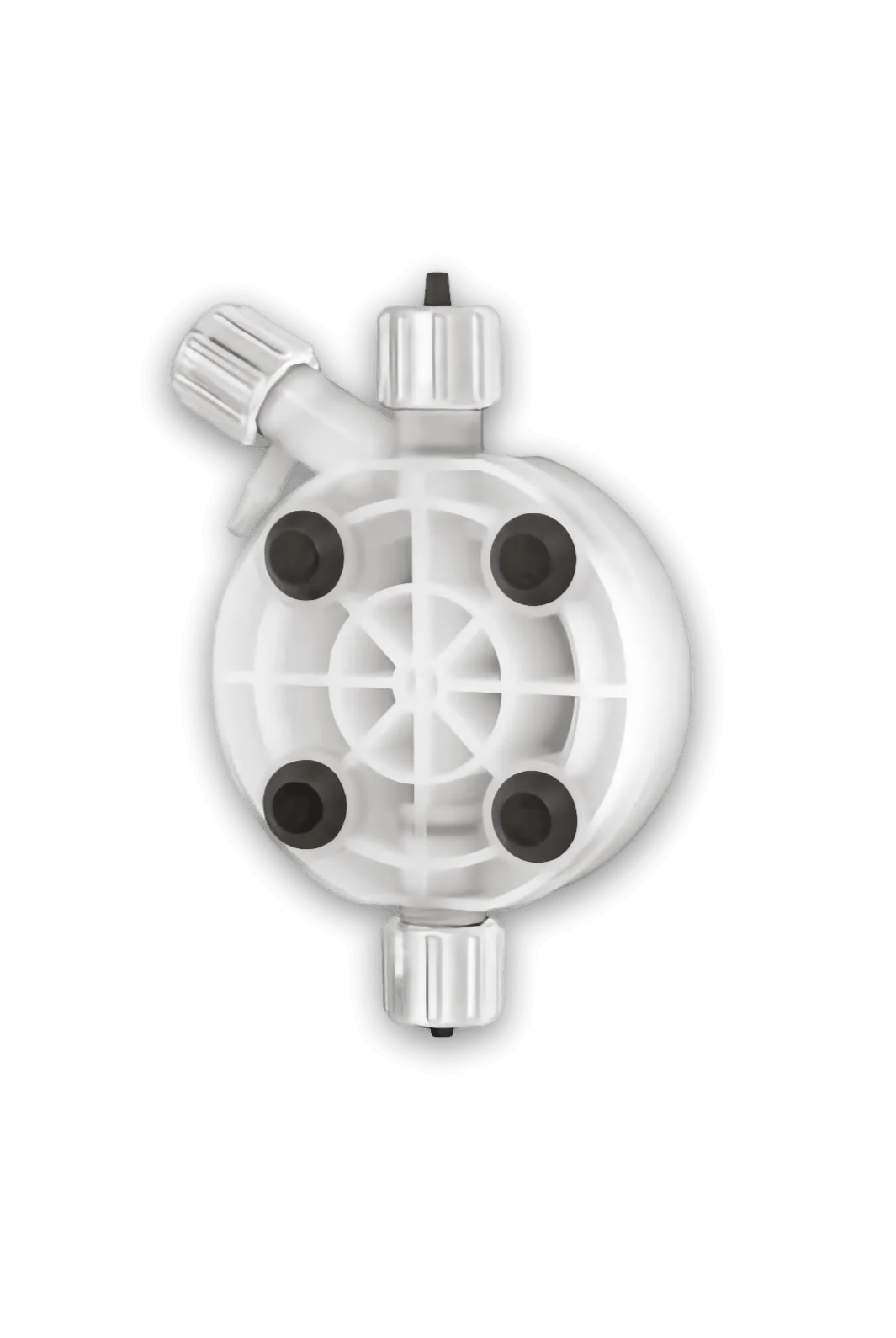
Suitable for sodium hydroxide (caustic soda).
The pump, with its built-in measuring instruments, is the core of the treatment system: the system page gives the composition, the installation diagram and the installation.
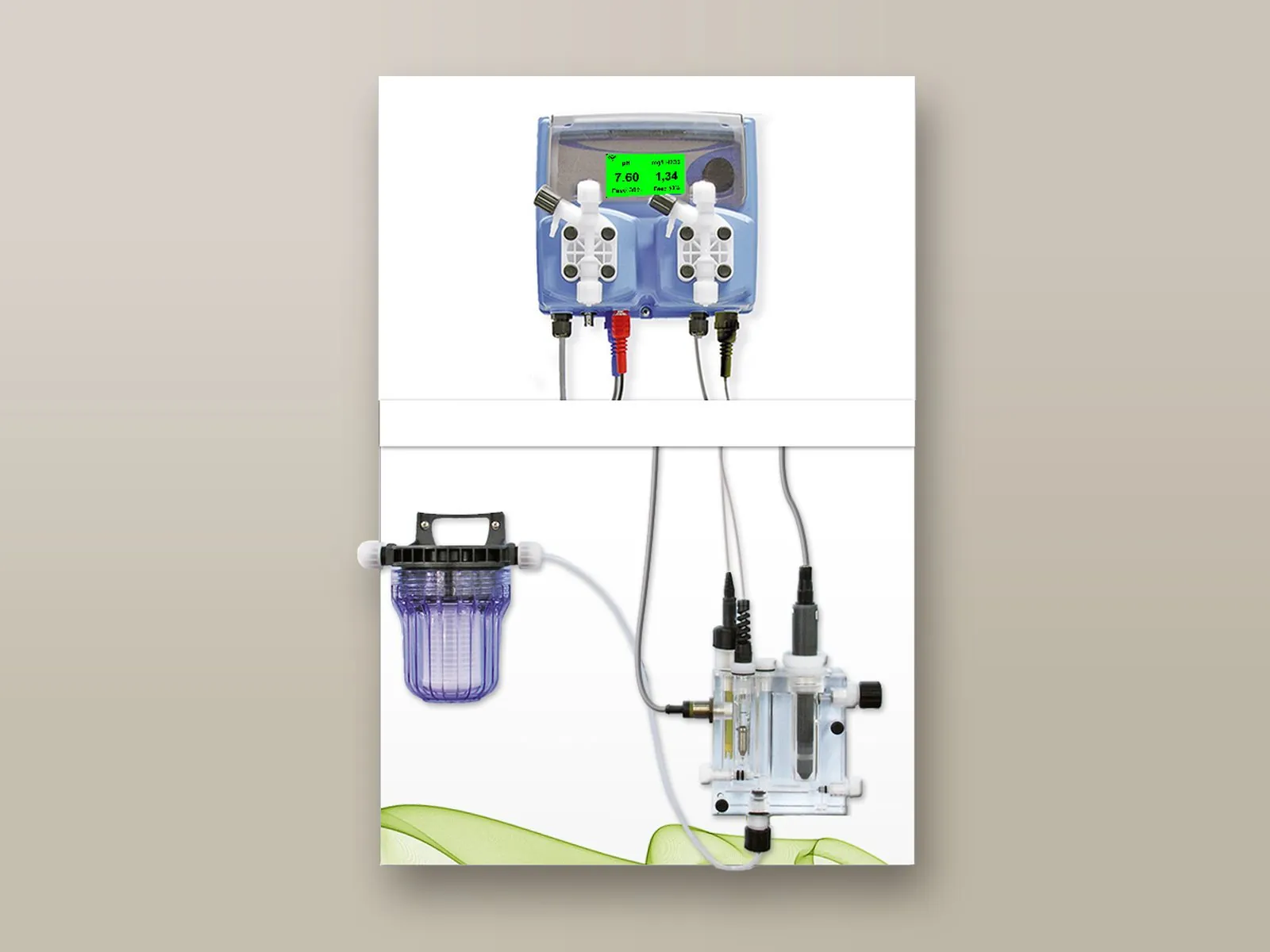
The WDpHCl Peroxide controller measures pH and hydrogen peroxide and controls two integrated solenoid dosing pumps, one for the pH corrector and one for the hydrogen peroxide; probe holder, measuring cell and sample filter are pre-assembled on a panel.
The system →In addition to dosing, the WD pumps also monitor the water: most messages therefore concern the process (product, flow, probe) rather than a pump fault.
Learn more: the pump does not prime and does not dose →| Message | Meaning | Action |
|---|---|---|
| LOW TANK | Chemical tank close to running out. | Check and restore the chemical level in the tank. |
| NO FLOW | The flow contact has stopped the pumps. | Check that there is water flow in the probe holder. |
| FEED LIMIT | Maximum dosing time exceeded without reaching the set point. | Check the pump flow rate and the actual supply of chemical. |
| PROBE FAIL | Probe reading unchanged for too long: the probe is probably damaged. | Check the probe, clean or recalibrate it; if the problem persists, replace it. |
| WAIT pH | pH has priority: the second dosing waits until the pH returns to the correct values. | Normal operating condition; to disable it, change the priority option. |
| DELAY | Dosing suspended: the restart delay countdown is in progress. | Normal operating condition; if not required, reduce the delay in the parameters. |
| POWER SUPPLY OUT OF RANGE | Supply voltage outside the permitted limits. | Check the mains voltage. |
| FEED ON · FEED OFF · OK | Normal operating status: pump dosing, pump stopped, or value at set point. | No action required. |
Green display: normal operation; yellow: warning (for example an active delay); red: alarm, with details available under STATUS; white: stand-by. On WD models with chlorine, if the message POWER SUPPLY OUT OF RANGE appears, also check fuse F2.
Always enable the maximum dosing time alarm (0 – 100 minutes) and the blocked probe alarm (100 – 254 minutes), and set dosing to stop in the absence of flow: without these protections there is a risk of dangerous overdosing.
At first start-up or with a new probe, carry out the full calibration (zero and second point, with a DPD photometer); on a monthly basis the quick calibration on the second point is sufficient. If the controller reports an error, repeat the calibration.
Resetting the controller restores all factory values, including the password (0000): CHECKSUM ERROR appears; press the knob and repeat calibrations and programming. If a custom password has been lost, contact our technical support service to unlock the controller.
If the problem persists, contact us. Before sending the pump for servicing, empty the pump head of chemical and dry it.
According to the operating mode and the set parameters, the pump automatically adapts the injection frequency to ensure the required dosing.
Pump start and stop can be controlled remotely by means of a run/stop contact from a PLC or another source.
In the event of a fault, a volt-free contact is activated, configurable as normally open (N.O.) or normally closed (N.C.), to drive a visual or audible signalling device, send an SMS or report the event to a PLC.
The flow rate can be adjusted independently for each pump (or between the pump and the salt chlorinator), so that the correct quantities of pH adjuster and disinfectant are dosed according to the probe measurements.
One SET POINT dedicated to pH and one dedicated to the disinfectant (free chlorine, bromine, hydrogen peroxide or Redox).
Priority can be given to pH control, with disinfectant control starting only afterwards, which makes it more effective.
The pump is supplied with low-level probes for the tanks: when a chemical runs out, it shows the alarm on the display and activates the corresponding output.
A dedicated button allows the lines to be filled with the chemical to be dosed.
Vertical installation, or horizontal installation by means of a dedicated bracket.
In the absence of flow in the probe holder (circulation pump stopped), dosing is suspended and the alarm is triggered.
The WD pumps support two-way remote control: from the cloud portal, via Wi-Fi, Ethernet or 4G, settings can be changed, operation can be checked and alarms can be received, such as product depletion; alternatively, the pumps can be integrated into a PLC via Modbus RTU.
Allows connection to the NIMBUS cloud portal to change settings, check operation and receive alarms, such as the chemical running out.
Allows connection to the NIMBUS cloud portal via network cable to change settings, check operation and receive alarms.
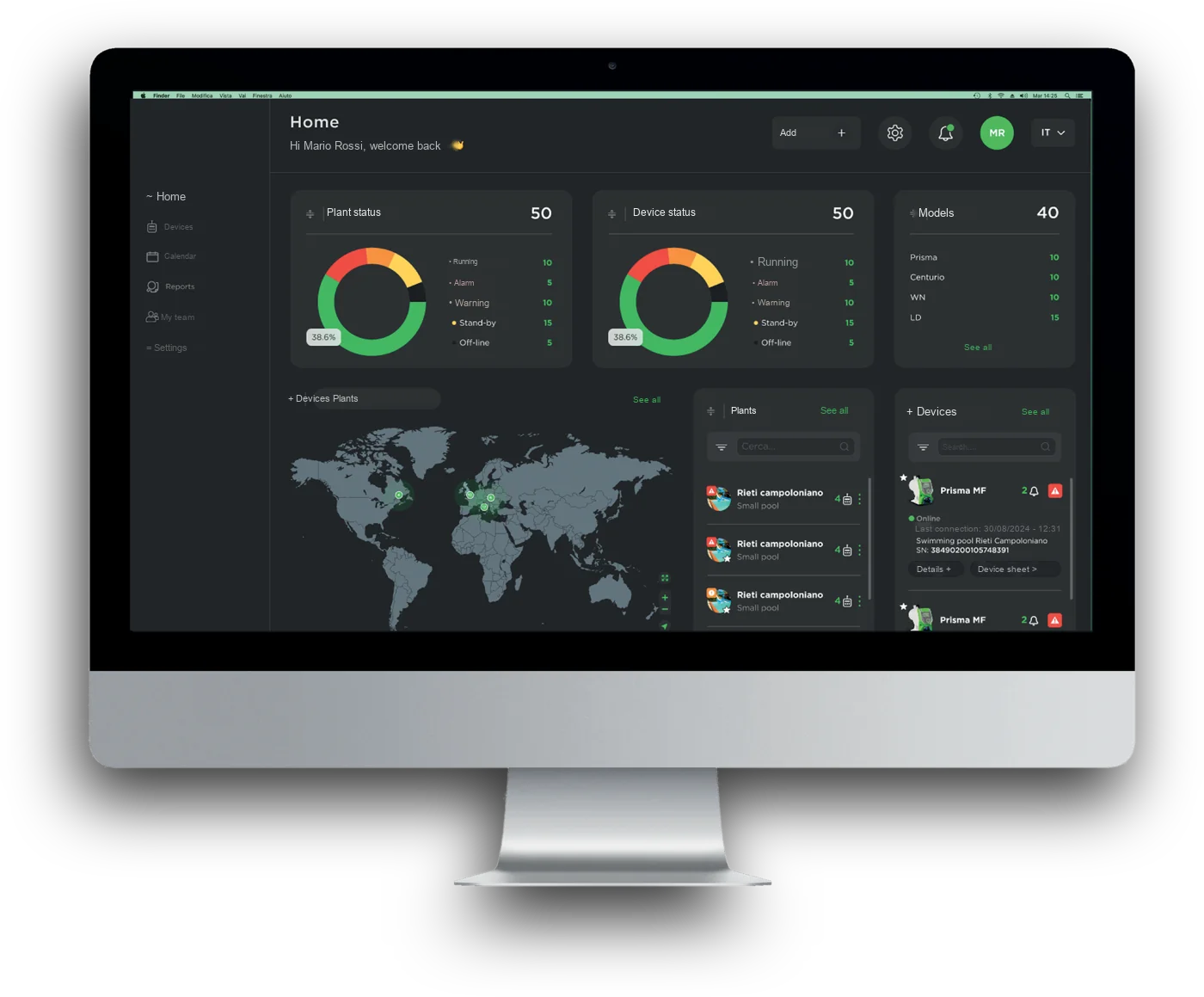 Web portalPC, tablet and smartphone
Allows connection to the NIMBUS cloud portal via the 4G network to change settings, check operation and receive alarms.
Integration into your PLC: all pump parameters can be managed from your control interface.
A single account brings together all registered installations, each with its own devices: the web portal, free of charge and with no subscription, can be accessed from a PC, Mac, tablet or smartphone and allows every parameter to be both viewed and changed, with an encrypted connection and protected access.
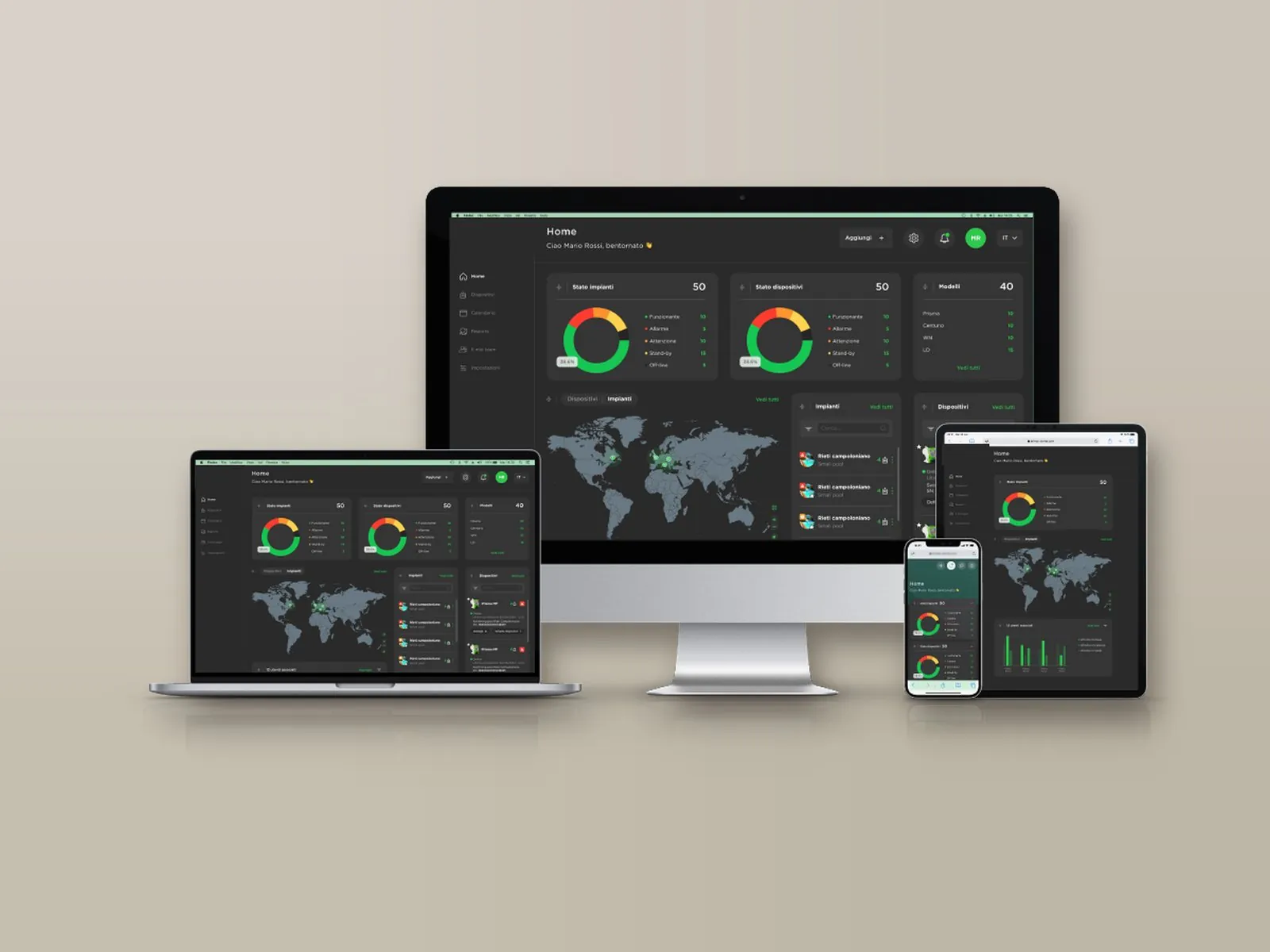
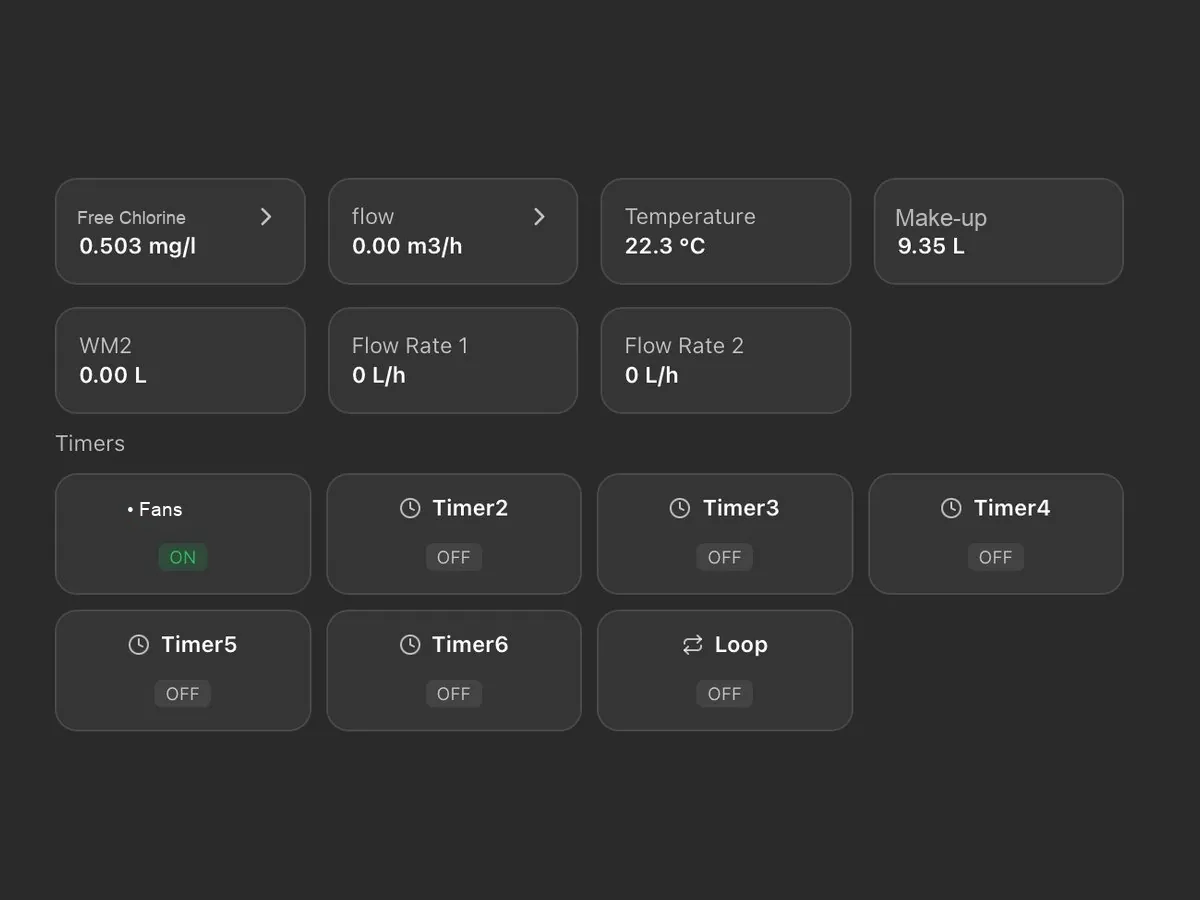
On a single screen: probe readings, chemical levels, pump activation thresholds and active alarms, with the status of installations and devices (normal, warning, alarm, standby, not connected).
Installations appear on an interactive map with their status and open with a click; for each one, the local weather conditions and temperature are also shown.
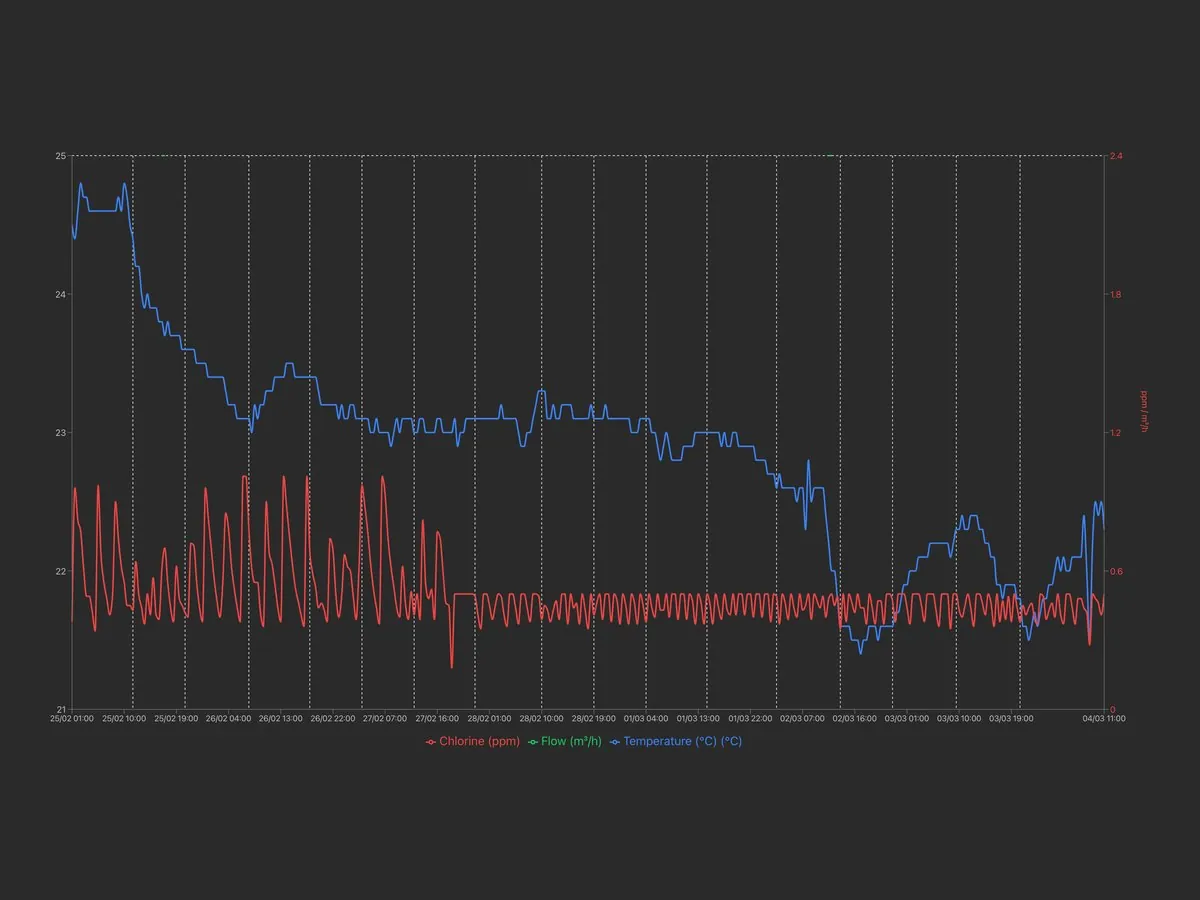
Archive of measurements and alarms, available for consultation at any time with charts and numerical reports exportable in Excel format.
Alarm thresholds for readings, dosing, faulty probe and out-of-range readings, with notification by e-mail or SMS depending on the communication system; a warning is also issued when an installation remains disconnected beyond the set time.
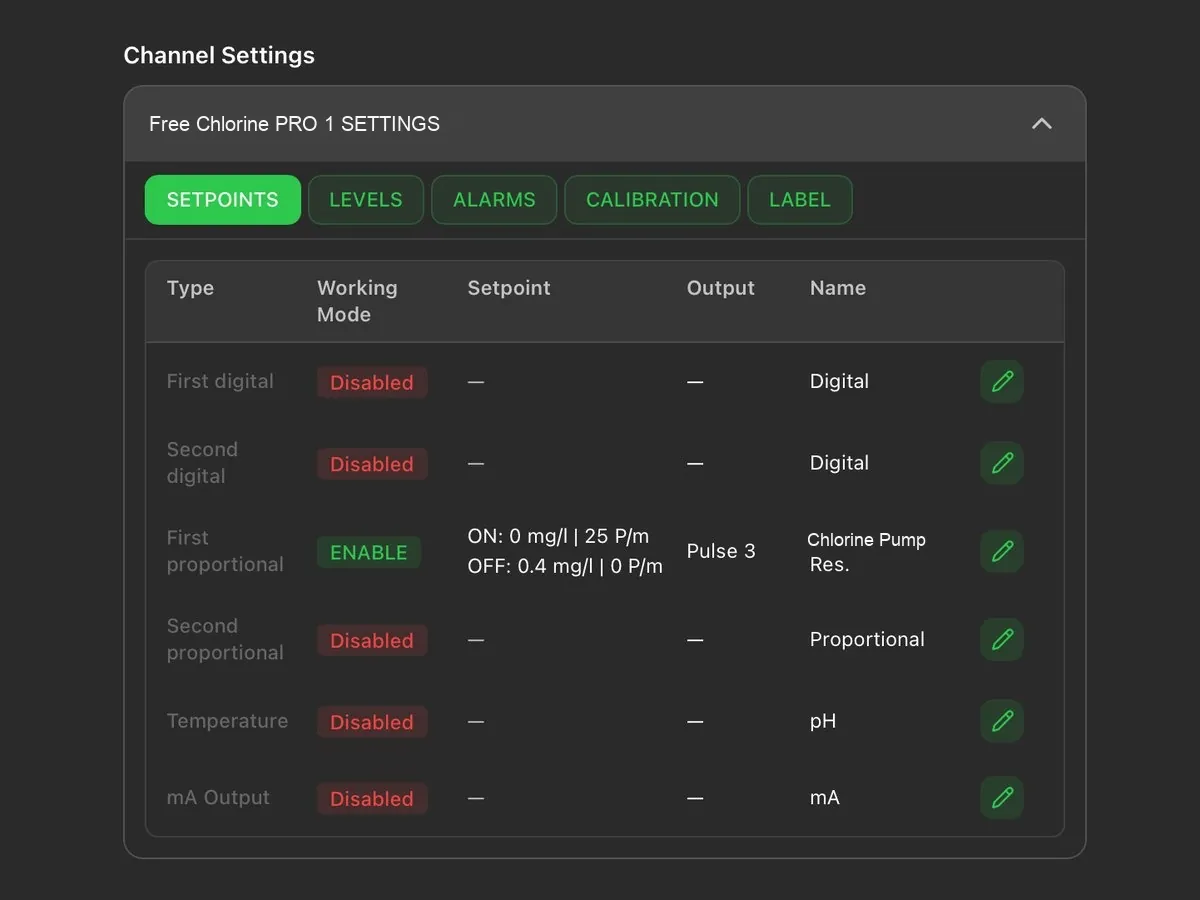
Remote modification of the set points, of the dosing pump activation thresholds and of the corresponding hourly flow rate.
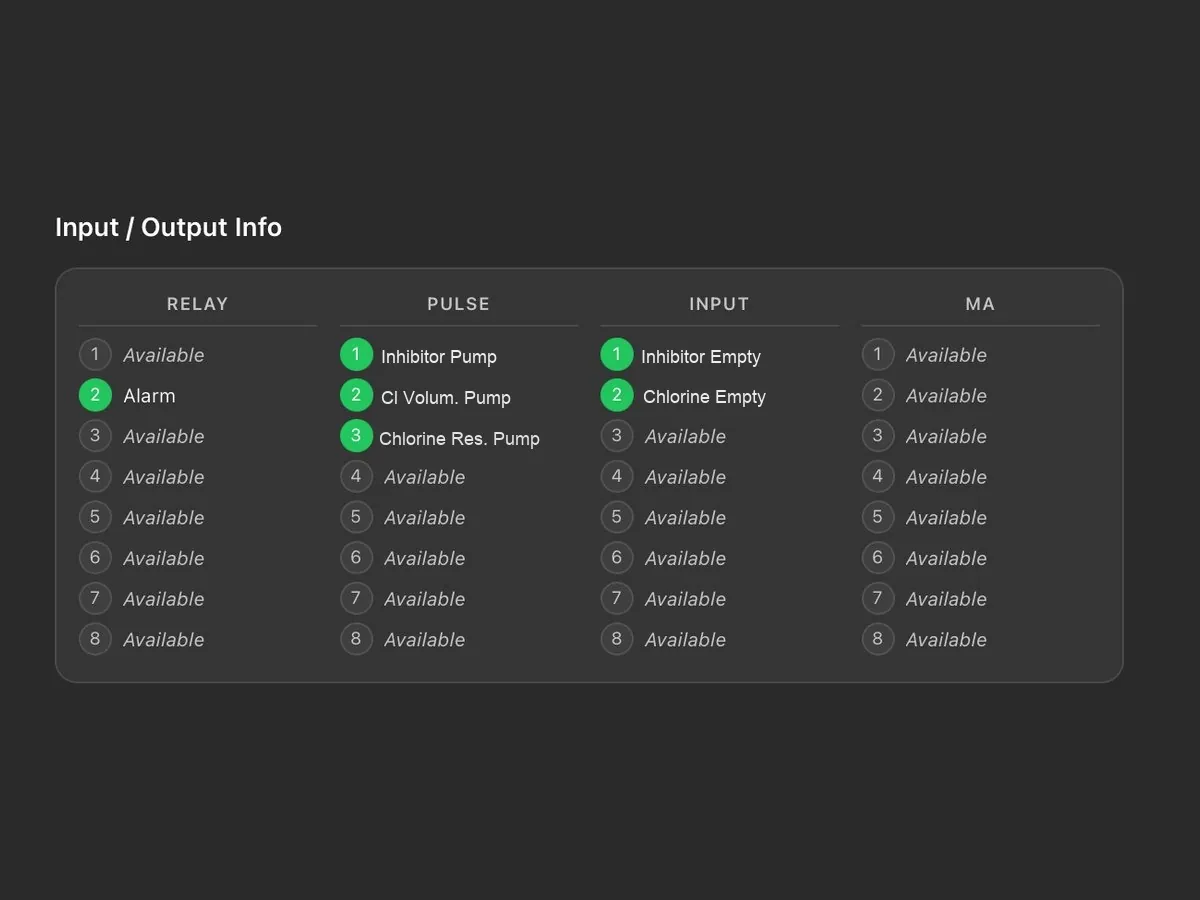
Status of relays, pulse outputs, digital inputs and current outputs, with the name assigned to each connection.
Tasks are scheduled by installation or by device and assigned to technicians; a reminder is sent by e-mail two days before the due date. Each task is shown as scheduled, due, overdue or completed.
The main account has full access and creates the technicians’ accounts, each enabled only for the assigned installations and devices; the last login and activity of each technician are visible.
Reports on devices, tasks and technicians, downloadable in PDF or CSV with the customer’s logo; the log keeps the history of operations and disconnections.
Logo, main colour and light or dark theme; the tiles on the main screen can be rearranged by dragging them. Two installations can be displayed side by side for comparison.
Each device is added through a guided procedure: the model is recognised automatically and associated with the installation, together with the technician to be contacted.
As an alternative to the portal, the Modbus RTU port allows integration into the plant supervision system.
Tell us about your application: our technical staff will recommend the most suitable model, configuration and accessories.
Call or write to us: a technician will reply with a tailored proposal of controllers, pumps, probes and accessories.